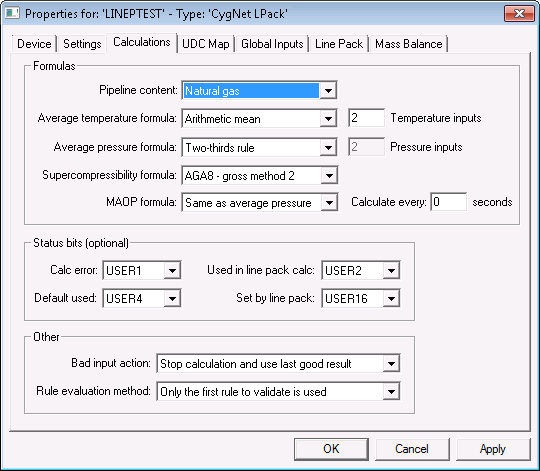
The Calculations page is used to configure formula properties, status bits, and other required calculation settings.
Click the following image to see an enlarged sample Calculations page:
The properties for each section of this page are described below. See the following subsections below for more information:
For more information about the specifics formulas used for each type of calculation, see Line Pack Formulas.
| Property | Description |
|---|---|
|
Pipeline content |
Select the substance in the pipeline:
Depending on the selection made here, the Line Pack editor will display custom configuration fields and dialog boxes. Note: It's a good idea to create a separate device instance for each type of calculation, if several are required. |
|
Specify the formula to use when calculating average temperature. Options include:
See the Average Temperature formula for more information about how these options are calculated. |
|
|
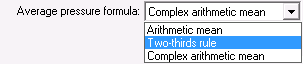
Specify the formula to use when calculating average pressure. Options include:
See the Average Pressure formula for more information about how these options are calculated. |
|
|
Note: This option applies only to natural gas.
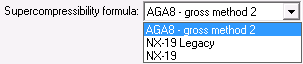
Specify the formula to use when calculating the supercompressibility factor. Supercompressibility calculations take into account how different gas compositions compress. These differences can be applied to corrected volumes using the following supercompressibility calculation options:
Note: The Last Segment Input: Methane UDC must be set if using the NX19 supercompressibility formula. See the Supercompressibility Factor for more information. |
|
|
Note: This option applies only to CO2.
Specify the CO2 density value to use in the rollup if both values are available for a segment. Options include:
See the Overview for more information about density sources. The rollup calculation method can be overridden at the pack segment or pack sub-segment level if required. |
|
|
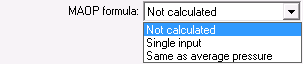
Maximum Allowed Operating Pressure (MAOP) is an optional secondary value that is only calculated when the normal line pack calculation executes. Specify the formula to use when calculating the Maximum Allowed Operating Pressure (MAOP). Options include:
For Single input and Same as average pressure, specify how frequently to calculate (Calculate every number of seconds) the pack at the Maximum Allowed Operating Pressure (MAOP). |
The items in this section allow you to define the status bit positions for Line Pack status bits in an output point’s user status field. These options can be set to <Not Used> to turn off the setting of a bit. See Status Bits for more information about each of these bits.
| Property | Description |
|---|---|
|
Calc error |
Specifies the bit to set on the output point if there is an error in the calculation. |
|
Used in line pack calc |
Specifies the bit to set on any points used as an input in the Line Pack calculation. |
|
Default used |
Specifies the bit to set on a pack segment if one of its default or base inputs were used in the calculation. |
|
Set by line pack |
Specifies the bit to set on any value that Line Pack sets. |
| Property | Description |
|---|---|
|
Bad input action |
Defines what action to take when a calculation input is missing or falls outside the range specified in the Base Inputs dialog box. Options include:
See Configuring UDCs Mappings for more information about the Last Segment Input: points. |
|
Rule evaluation method |
Determines which custom calculation rules to use when determining the input for a pack segment. Rules are evaluated in order from top to bottom. Options include:
|
More:

|
|
|